
IN DEVELOPMENT
FEATURES.
Tools for building, editing and exporting custom skate parks.
01
Workspace & placement
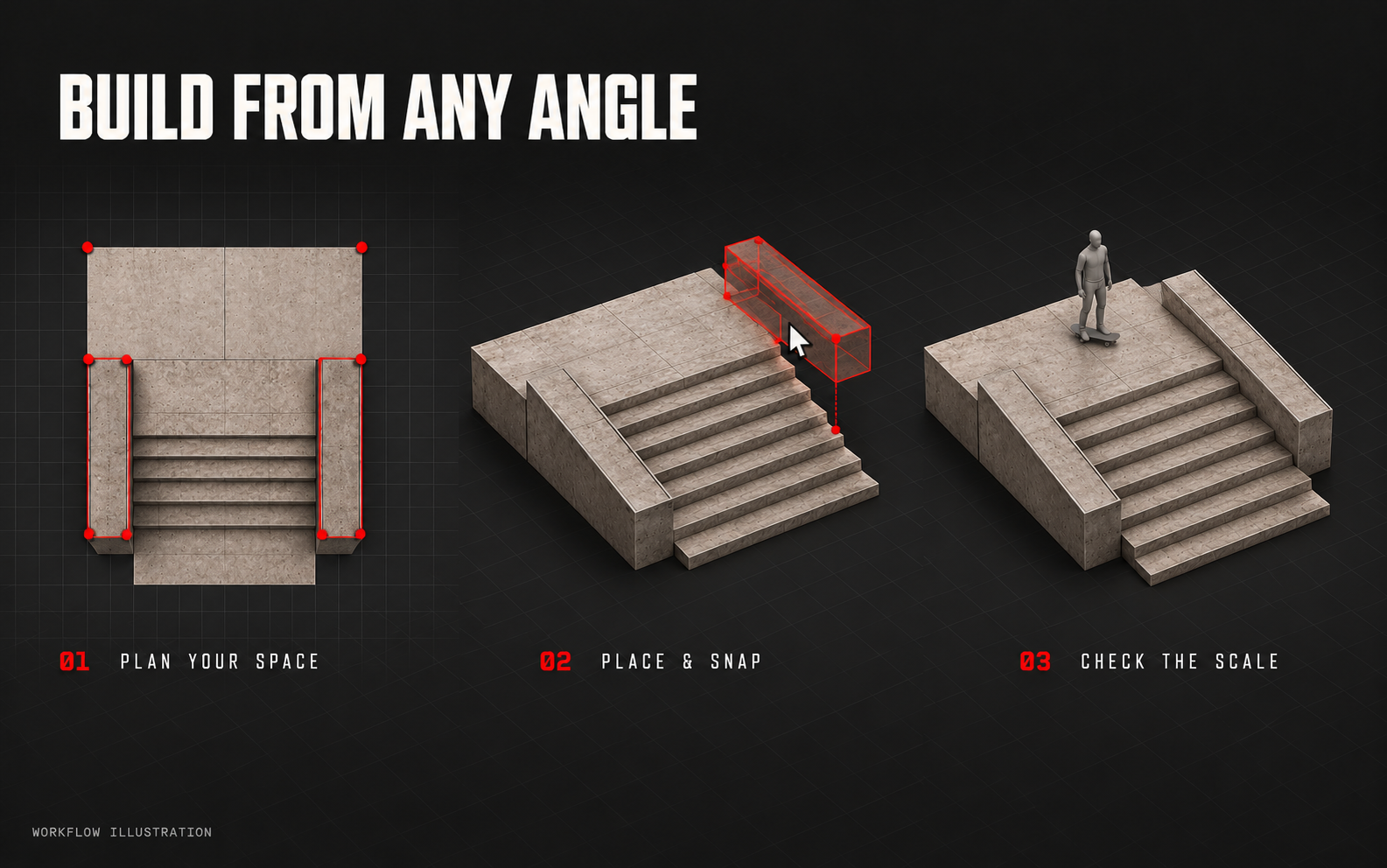
Place pieces in plan view or 3D.
- Plan and 3D views
- Switch between an overhead plan and a 3D view.
- Reusable object library
- Ramps, stairs, bowls, rails, assemblies, street furniture and event props.
- Placement, resizing and height
- Place pieces and adjust their size and height.
- Snapping and connections
- Snap pieces to compatible connection points.
- Reference skater
- Use a reference skater to check scale across the park.
- Simple and Advanced modes
- Choose simple controls or detailed editing tools.
02
Ledges, hubbas & rails
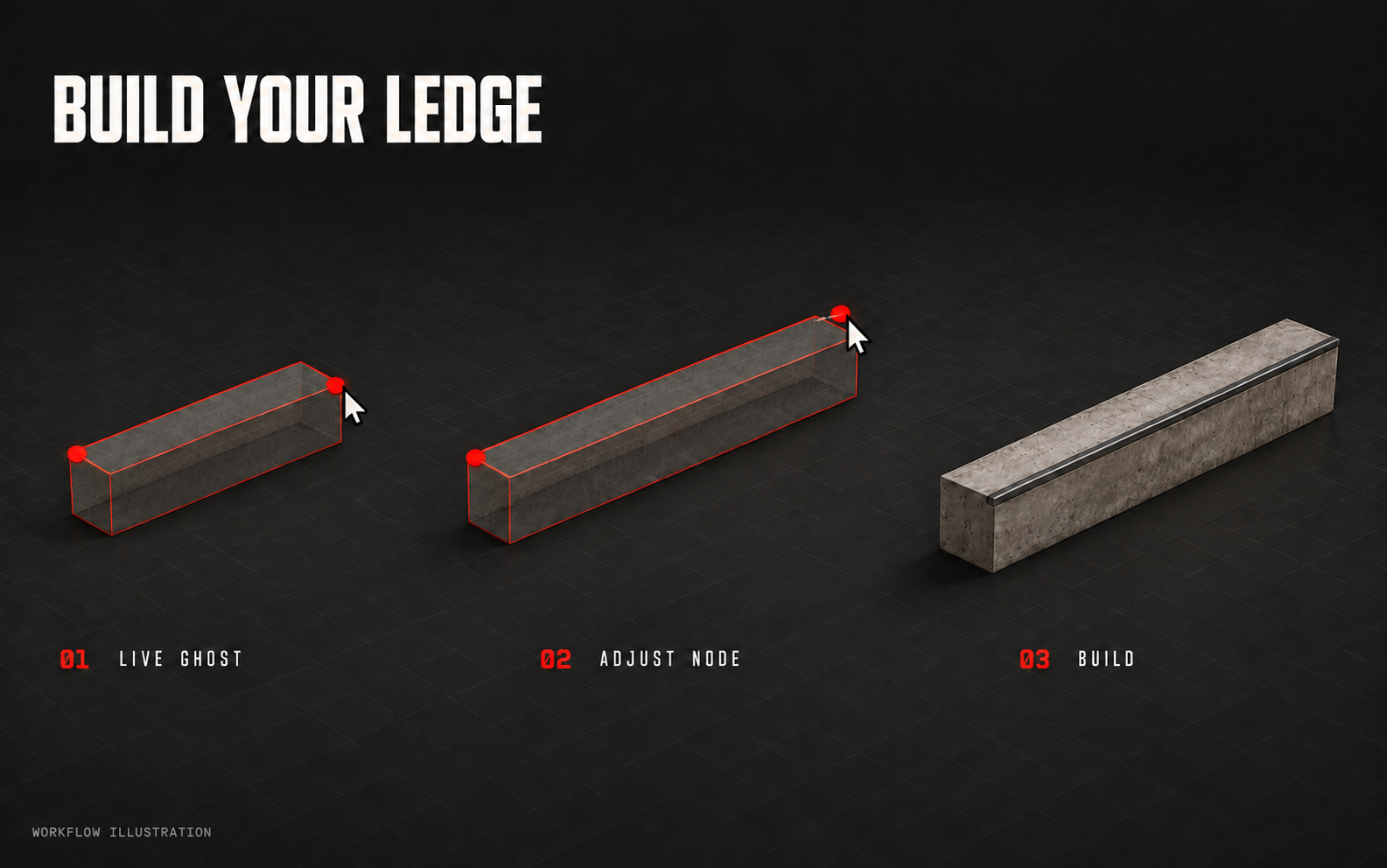
Set the shape with nodes. Check it in the live preview.
- Nodes and live ghost previews
- See the shape while placing and moving nodes.
- Flat and sloping grind lines
- Build level sections or follow a slope.
- Custom ledge profiles
- Adjust dimensions, profiles, overhangs and edge treatments.
- Rail profiles
- Choose the rail shape and adjust its route.
- Stair- and bank-following hubbas
- Build ledges around existing stairs and banks.
03
Stairs & connecting geometry
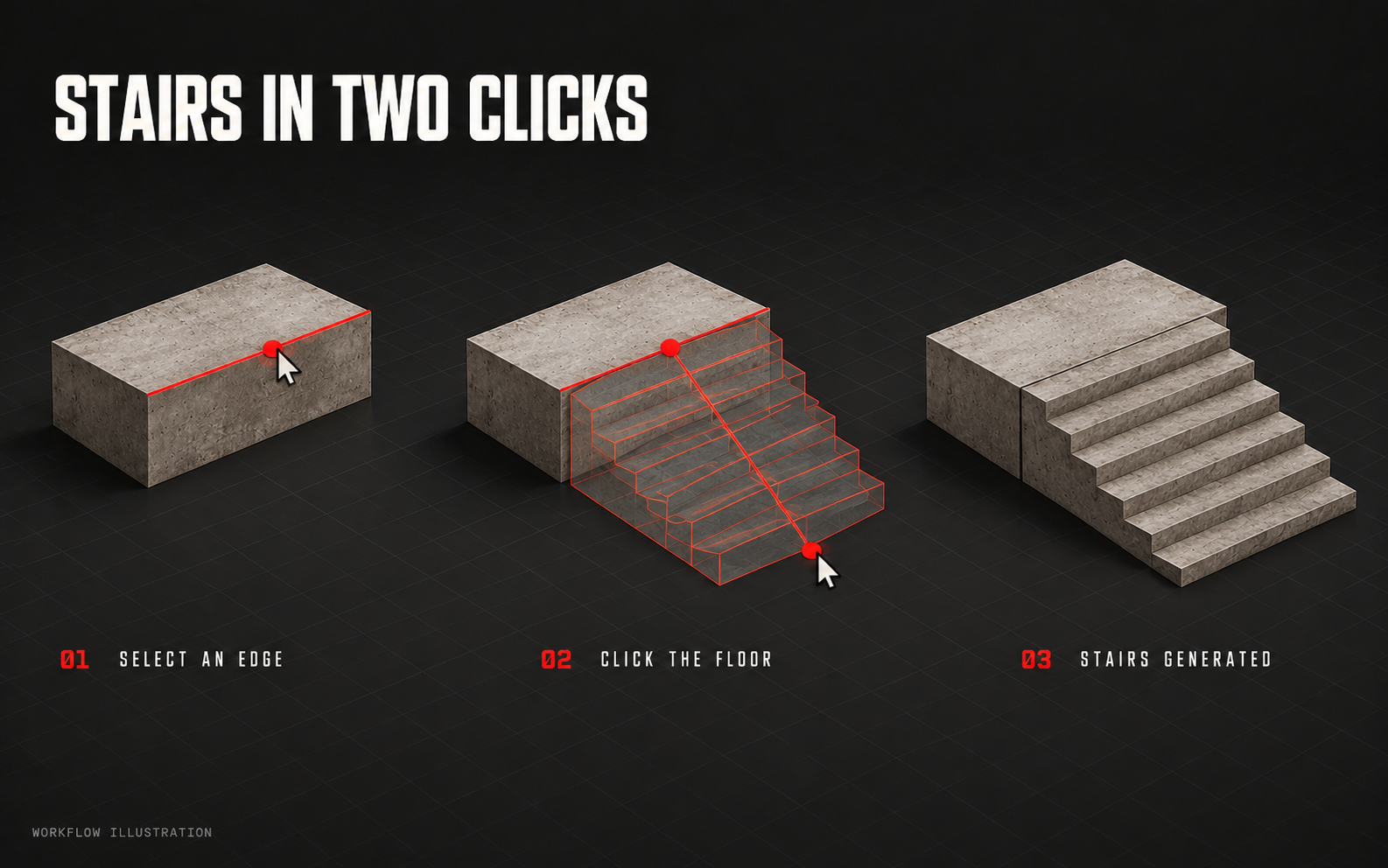
Connect blocks, edges and the ground.
- Edge-to-floor stairs
- Choose a raised edge and a floor landing to generate a stair set.
- Adjustable stair count
- Set the number and size of the steps.
- Banks between edges
- Connect facing edges with a bank.
- Linked assemblies
- Keep attached features linked to the original build.
04
Ramps, transitions & hips
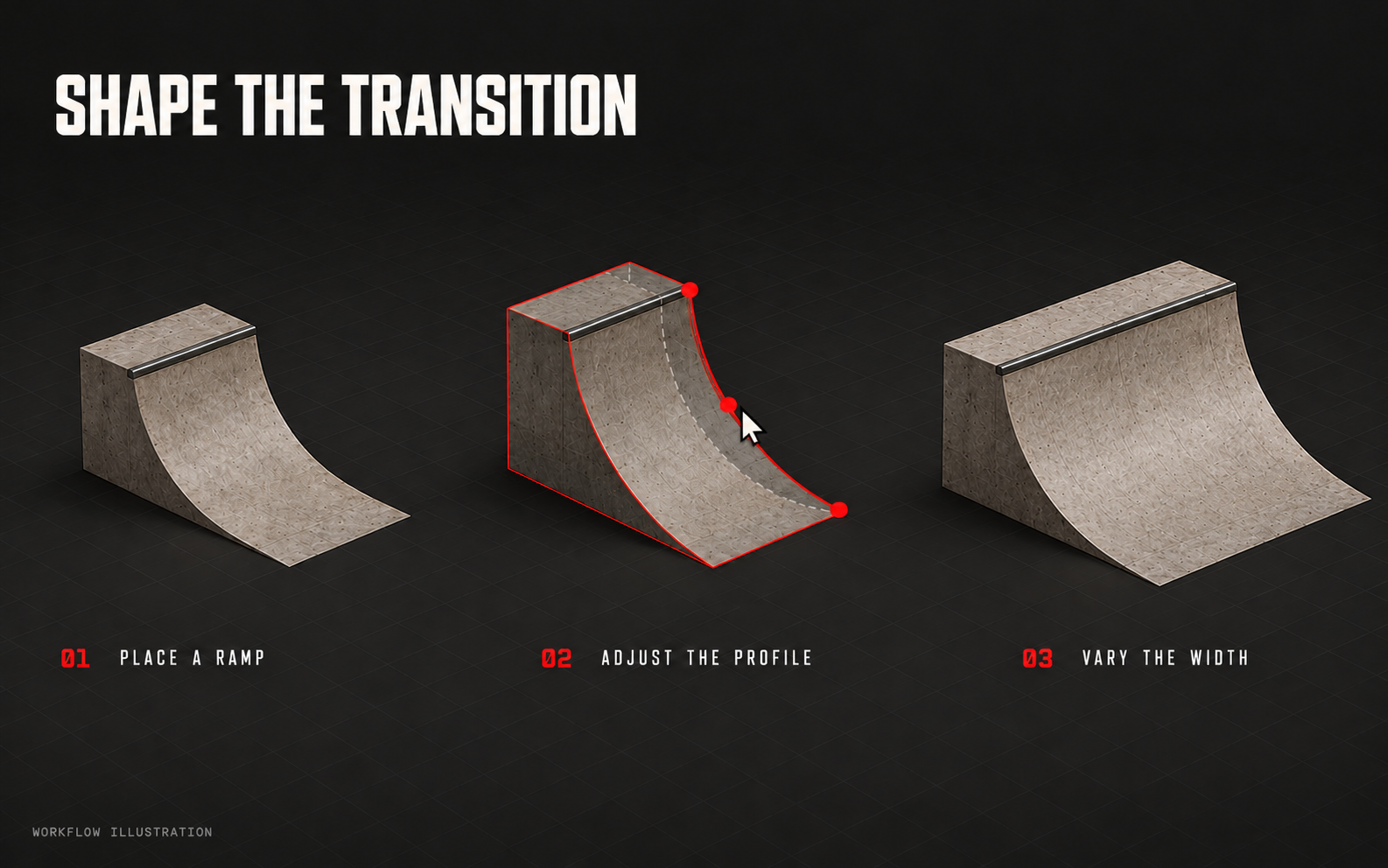
Adjust curves, dimensions, hips and coping.
- Transition profiles
- Tune the curve of supported ramps.
- Width and dimensions
- Set the ramp’s width and dimensions.
- Inside and outside hips
- Add hips to supported ramps and square pieces.
- Multiple hips
- Add more than one hip to a supported piece.
- Coping and trim
- Adjust coping exposure and add flush metal trim to supported edges.
05
Terrain & scenery paths
Sculpt the ground and paint its surfaces.
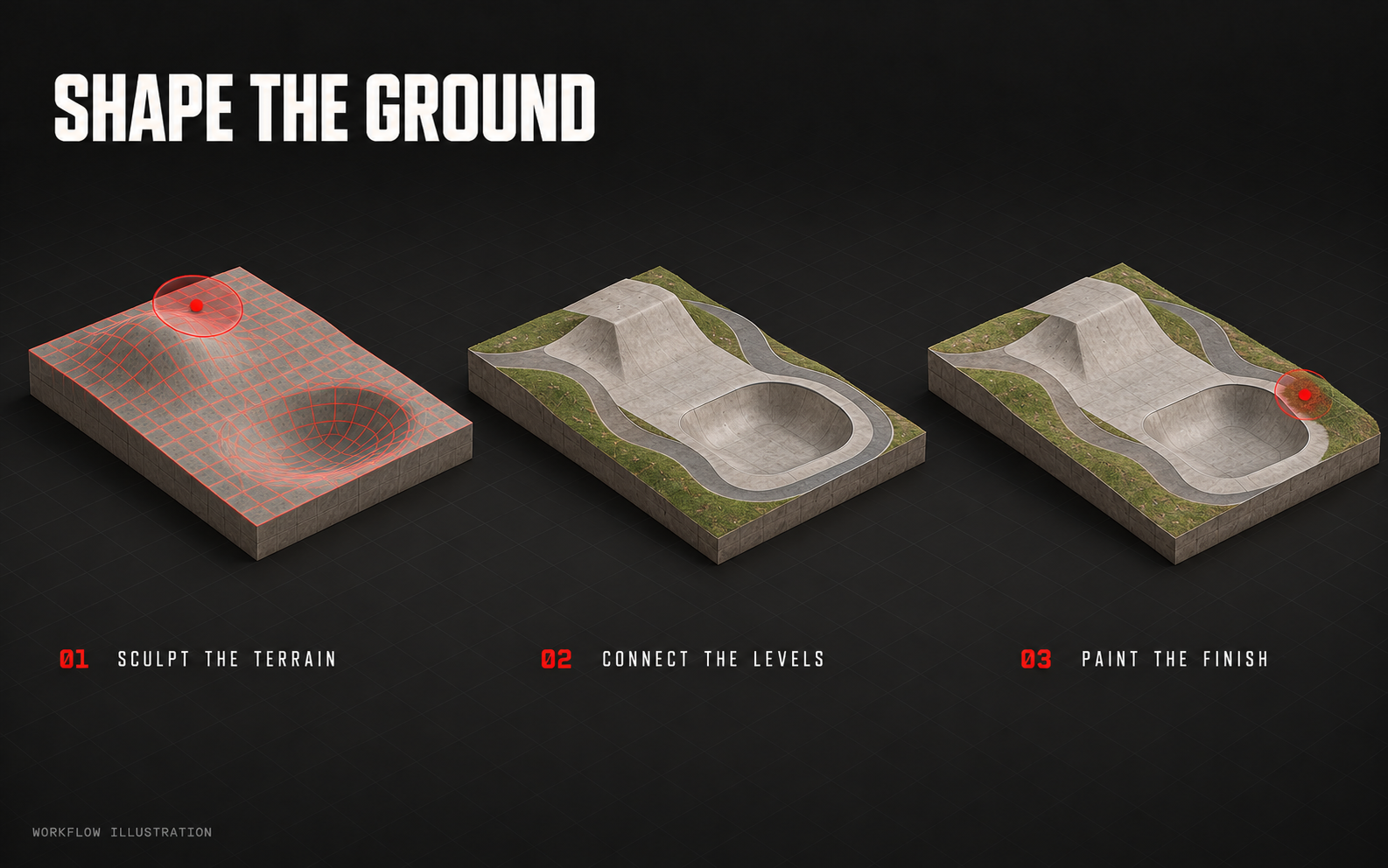
- Sculpting tools
- Raise, lower, smooth and level the terrain.
- Slopes and inset bowls
- Draw slopes and sink bowls into the ground.
- Terrain-following paths
- Create scenery paths that follow the ground.
- Layered terrain painting
- Paint continuous strokes with layers, soft edges and height or slope masks.
06
Materials, paint & wear
Choose materials and add marks by hand.
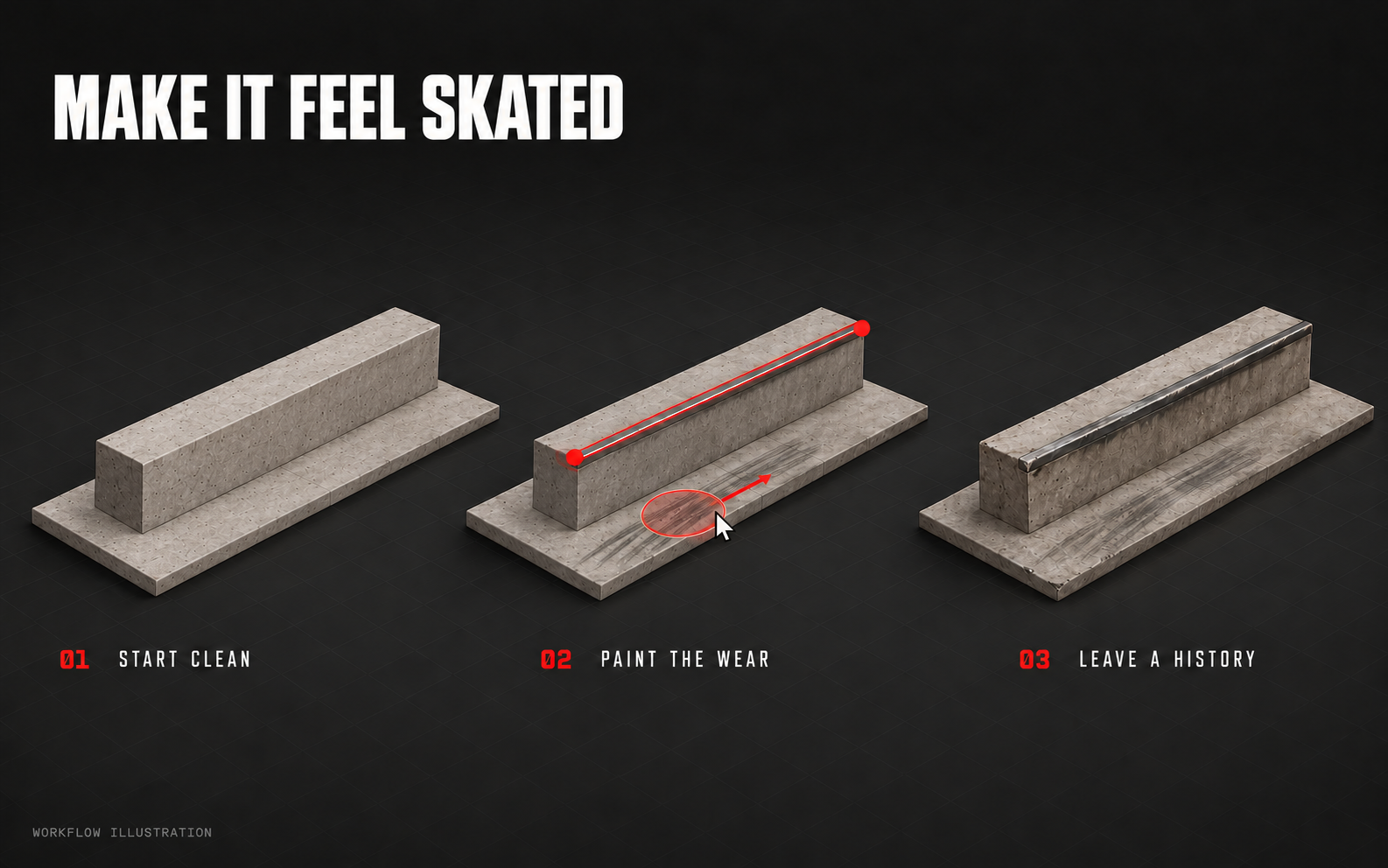
- Material finishes
- Concrete, wood, granite, asphalt and metal.
- Surface controls
- Adjust tint, texture tiling and roughness, or use custom textures.
- Directional wheel marks
- Paint wheel marks in the direction of the stroke.
- Scuffs, dirt and edge wear
- Add marks around take-offs, landings and grindable edges.
- Wax and surface detail
- Add wax sheen and surface damage.
- Graphics and signs
- Add imported graphics, signs and event artwork.
07
Smart Build & Remix
Get suggestions based on the park you’ve built.
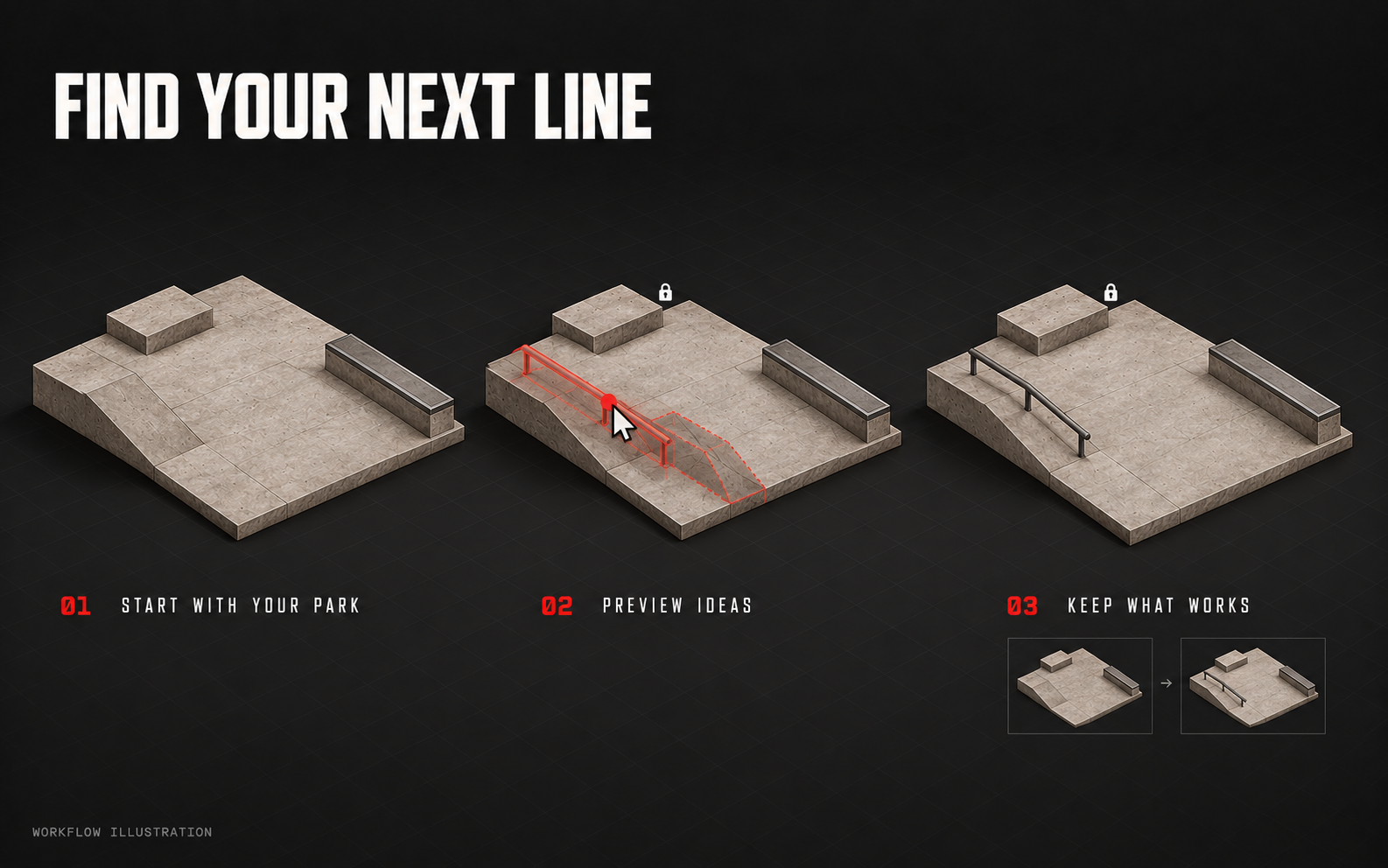
- Contextual suggestions
- Get suggestions based on nearby pieces, spacing and your settings.
- Accept or dismiss
- Preview a suggestion, then keep or dismiss it.
- Remix variations
- Try Subtle, Fresh or Bold changes to features and finishes.
- Preserve the original
- Compare versions, pin builds and save a separate remix copy.
- Locked pieces
- Keep selected pieces fixed when remixing.
Suggestions check geometry and spacing. They don’t simulate skating physics, so test the result in-game.
08
Street scenes & venues
Choose a setting and add scenery.
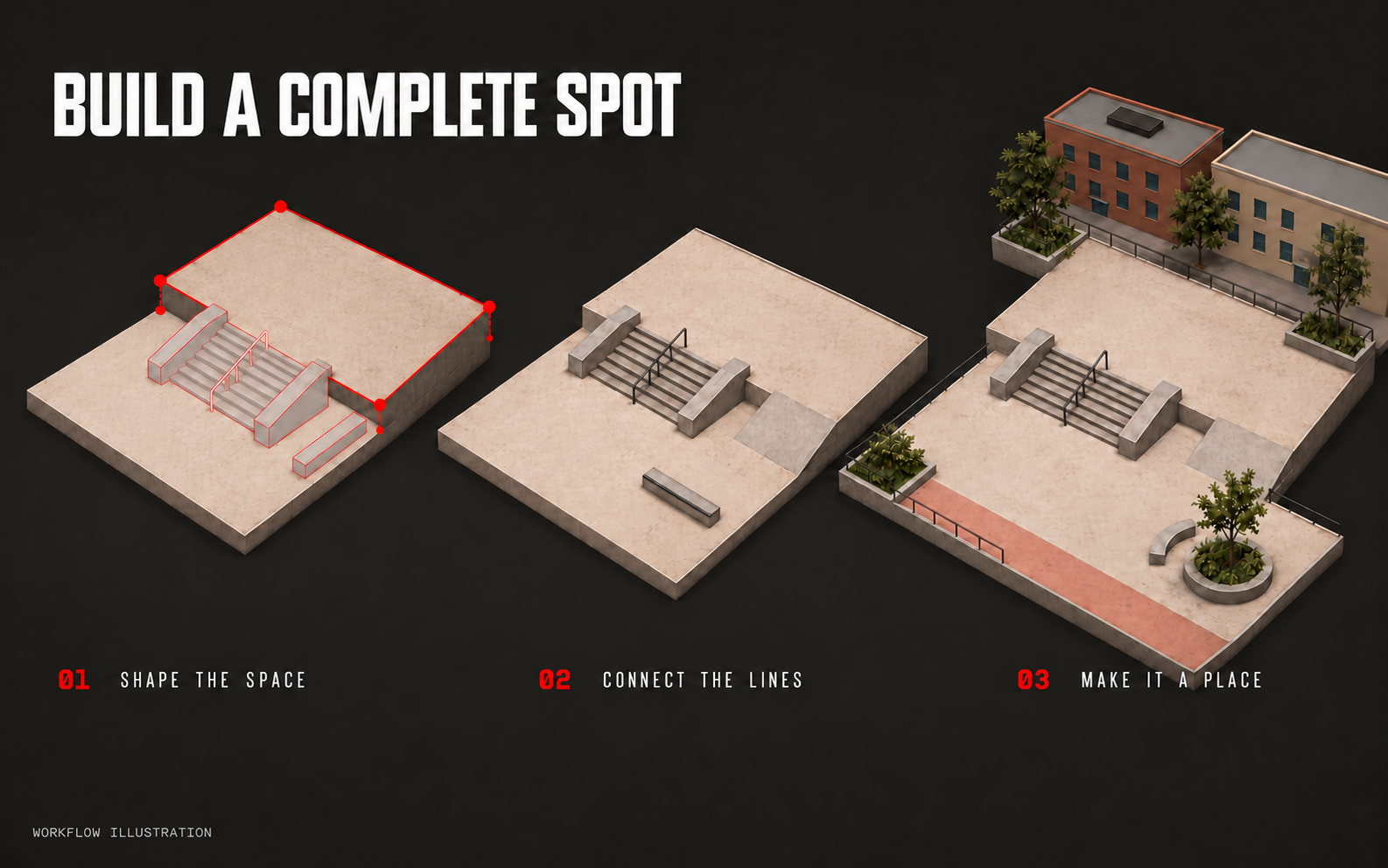
- Street furniture and scenery
- Add planters, seating, barriers, signs and environmental objects.
- City and warehouse settings
- Choose a city or warehouse backdrop.
- Stadium layouts
- Wrap a course in an open-air stadium, side canopies or a covered arena.
- Venue lighting and clearance
- Use built-in floodlights and adjust roof clearance in supported venues.
09
Review, save & export
Check the park, save your project and build the map.
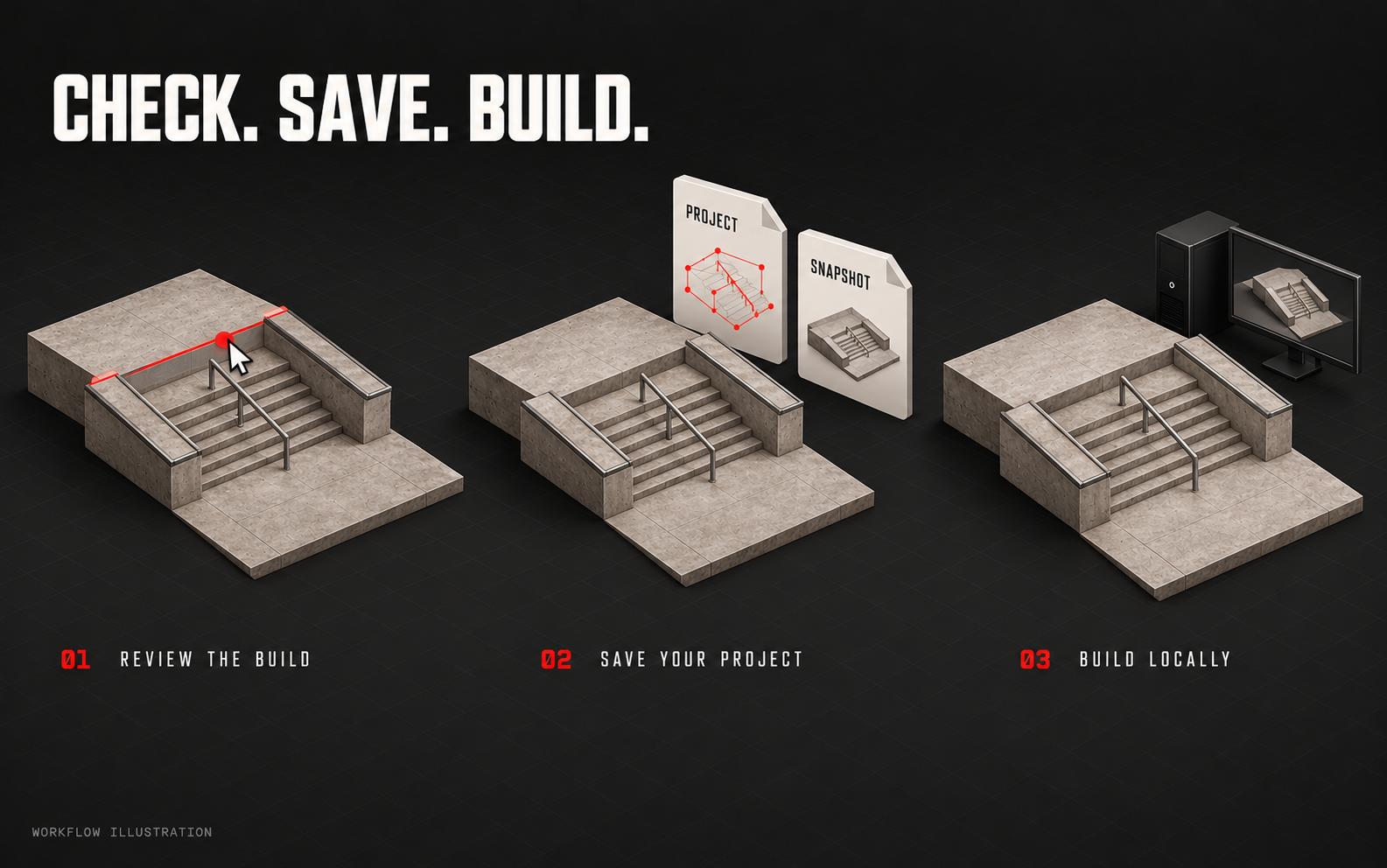
- Visual health check
- Review seams, overlaps and available fixes before building.
- Editable project and snapshot
- Save an editable project and a separate build snapshot before export.
- Local build and installation
- Build and install your park using Blender and ReSkate Studio.
- Texture quality
- Choose High or Balanced export textures.
- In-game iteration
- Check collision, transitions, lighting and audio in ReSkate.
10
Publishing & community
Publish on Thunderstore and find parks made with LINES.
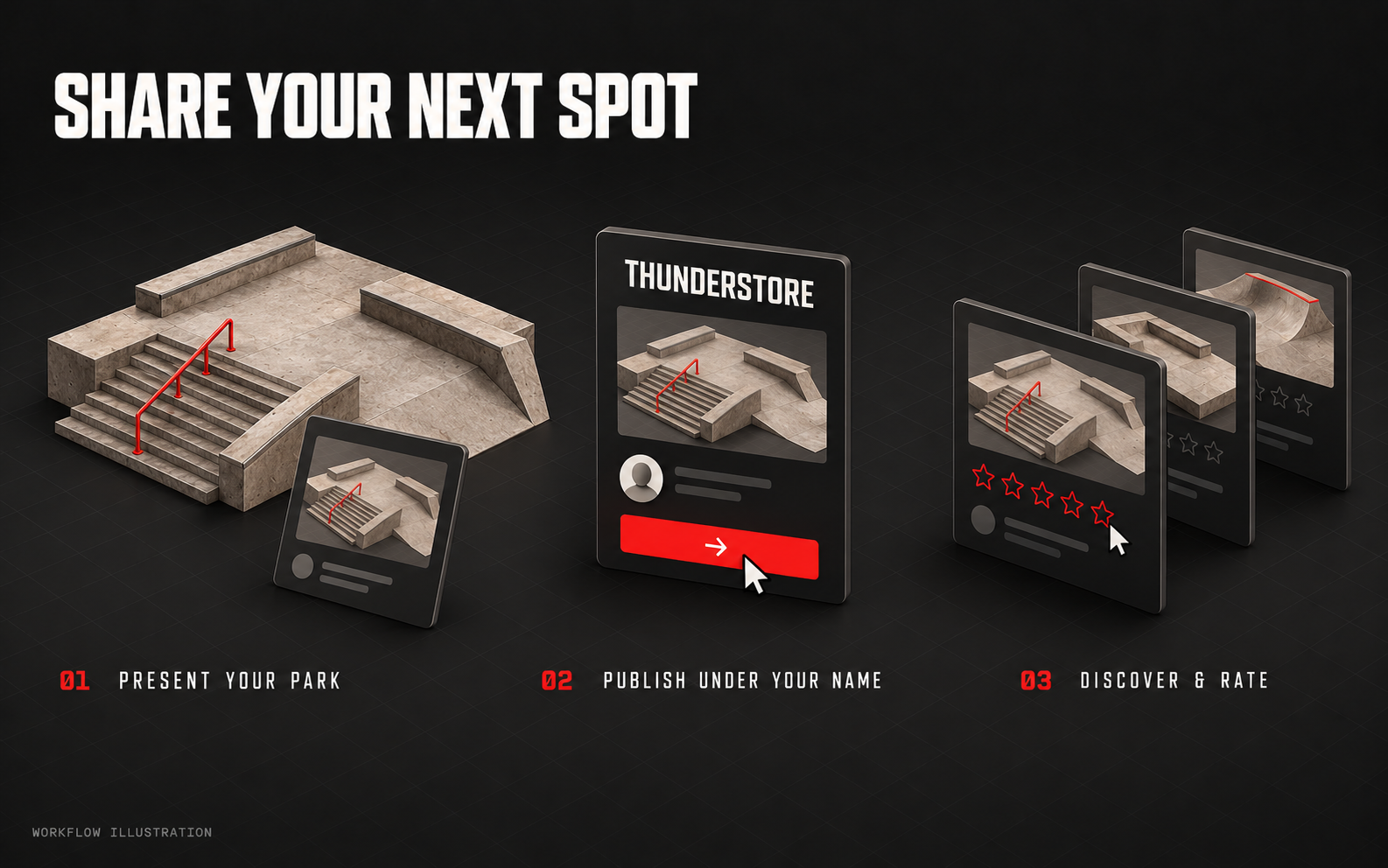
- Park presentation
- Prepare a cover, description, credits and version for your park.
- Publish from your account
- Publish through your own Thunderstore account or team.
- Community Showcase
- Browse parks tagged “Made with LINES” on Thunderstore.
- Search and filters
- Search parks and creators, filter listings, and sort by downloads, date or player rating.
- Five-star player ratings
- Sign in to rate a park out of five stars. Change your rating at any time.
BEFORE RELEASE
LINES is still in development. I’m working on how these tools fit together when you’re building a complete park, from the first piece to the ReSkate export. Features may change as I test and refine them. The editor isn’t available to download yet.
Export uses Windows, Python, Blender and ReSkate Studio. Setup instructions and supported versions will be shared before testing. Check the finished park in-game.
EARLY ACCESS / TESTING
GET LINES
UPDATES.
Sign up for release news. Tick the testing box if you’d like to try an early build.